Save, download, transcribe from Facebook Ad Library
A free research tool for the Facebook Ad Library. See how long every ad has been running, save the winners to a swipe file, then download or transcribe them in one click.
No account needed to search · Works in seconds
How it works
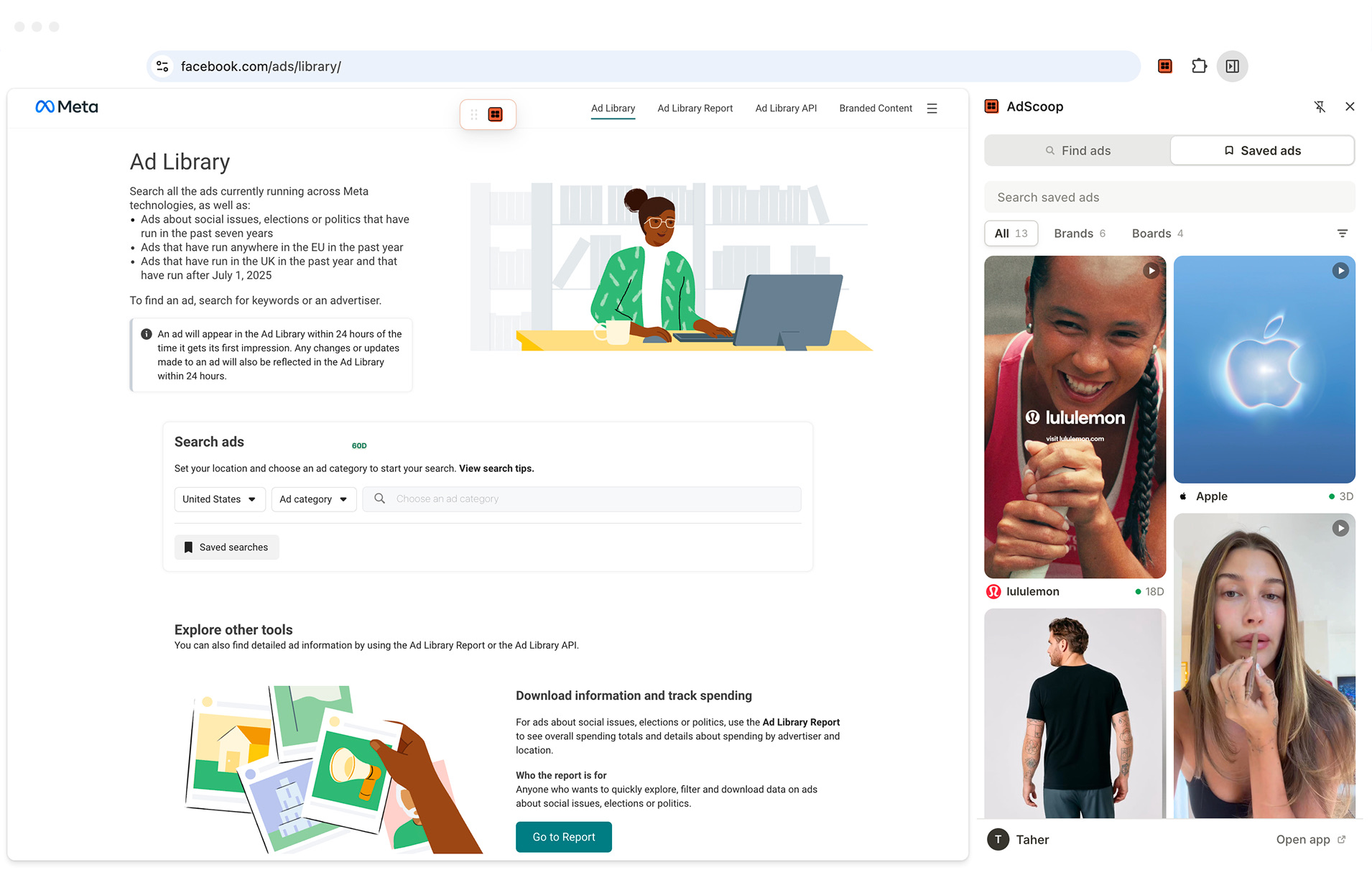
AdScoop helps you save and organize ads.

Synced
One library, two places
Same library, same features, in the side panel and full screen at app.adscoop.app. Changes show up in both within a minute.
Features
Built for solo marketers
Four things AdScoop adds to the page you already use for ad research. All of them free, and none of them a new tab.
Search brands by name
Start typing and the panel suggests advertisers from Meta's own list, with the page picture and follower count beside each one. Pick a brand and every ad it is running opens in the Ad Library.
Save ads to a library
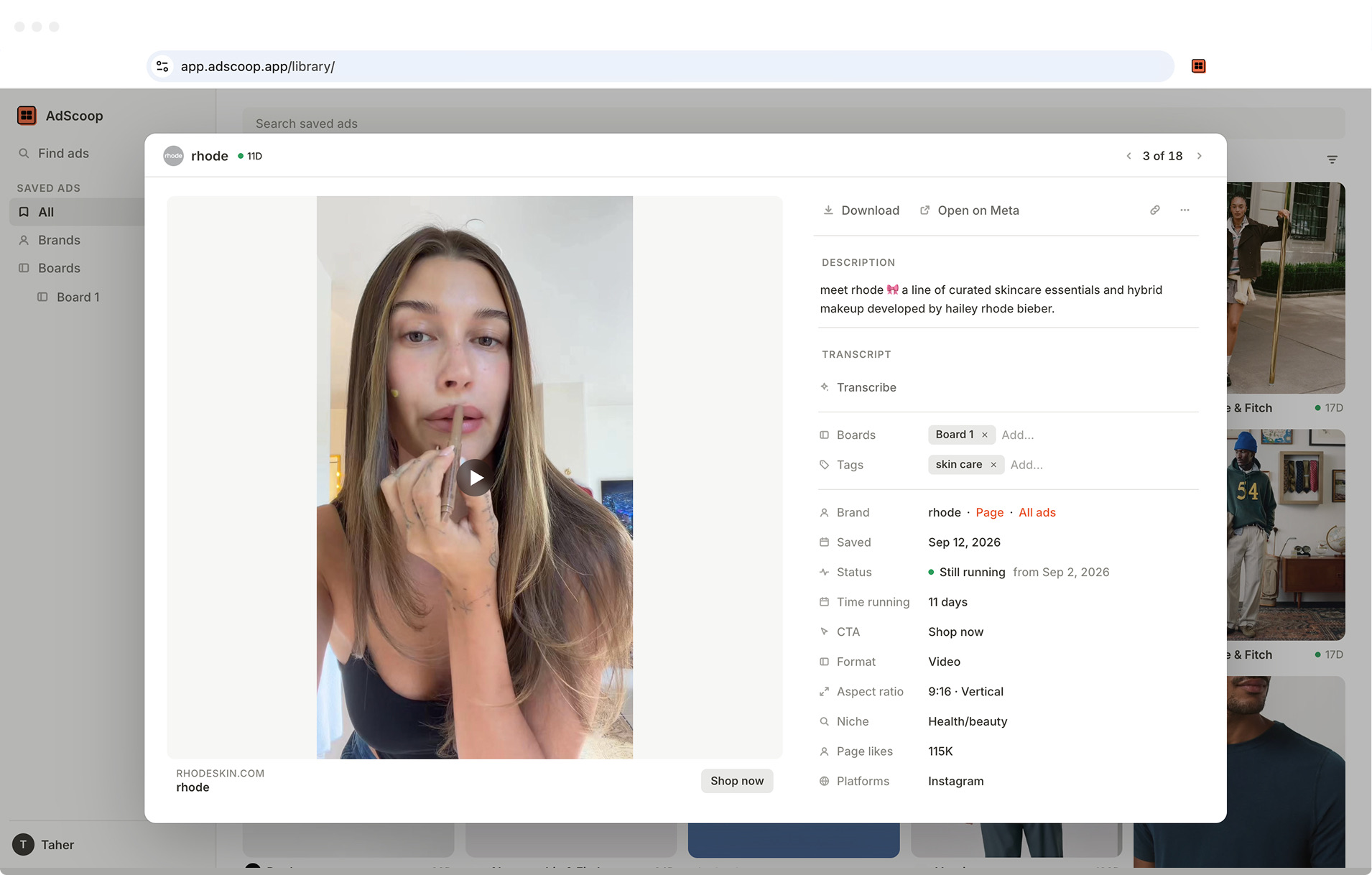
Hit Save on any ad and it lands in your library with the creative archived, so it still plays after Meta's links expire. Sort saves into boards, tag them, and filter by brand, format, status or platform.
Share a board with a link
Copy a link to one ad or a whole board. Whoever opens it sees the ads with previews and needs no account. Turn the link off whenever you like.
Download, transcribe, export
One click downloads the creative at the quality Meta serves it, or turns a video ad into a transcript. Select ads in your library to download them as a zip or export twenty columns of data as CSV.
Your library
Your saved ads, in any browser
Everything you save on the Ad Library shows up in the side panel and at app.adscoop.app, kept in sync. Open it anywhere, sort by longest running, and drill into a brand or a board.
Swipe file
Why do you need a swipe file?
The marketers who ship winning ads keep one: the ads worth studying, in one place, ready when you sit down to write the next one. AdScoop turns the Facebook Ad Library into yours, and keeps every ad after Meta's links expire.
FAQ
Questions & answers
Got more questions? Email me at taher@adscoop.app
AdScoop is a research tool that runs on the Meta Ad Library. It shows how long every ad has been running, saves the ones you pick to a library with boards and share links, and downloads or transcribes any of them in one click. Nothing opens in a new tab; it all happens on the page you are already on.
Yes, all of it, while we build it out. Feedback is worth more to us than money right now, so nothing is locked and there is no trial clock. Saves and downloads are unlimited, and every signed-in account gets 500 minutes of transcription a month. A paid plan will come once AdScoop has earned it; you will hear about it first, and nothing is charged without you saying yes.
Not to search, spot long runners or download. Saving, transcribing and share links need a sign-in, so that your library follows you across browsers. Sign in with Google, or with a code sent to your email address.
Open the side panel from the toolbar icon and type into Find ads. From the second letter the panel suggests advertisers from Meta's own list, with the page picture and follower count. Pick one and the Ad Library opens on every ad that brand is running. Or press Enter to run a keyword search instead.
It is the number of days between the ad's start date and today, or its end date if it has stopped. Meta keeps paying for ads that work, so an ad running for months is a stronger signal than anything the Ad Library shows on its own. Your library can sort by it.
Click Save on the ad's pill. It lands in your library, which you can open from the side panel or at app.adscoop.app in any browser. The creative is archived when you save, so the ad still plays after Meta's links expire a few days later. Add it to boards, tag it, and filter by brand, format, status, platform or when you saved it.
Yes. Choose Copy share link on an ad or a board and you get a public link. Whoever opens it sees the ads with previews, can download them and jump to Meta, and needs no account. Your boards, tags and transcripts stay private. Turn the link off at any time, and a new share gets a fresh link.
Click Download on any ad in the Ad Library and the video, image or full carousel saves to your machine at the quality Meta serves it. In your library, select as many ads as you like and choose Download as .zip, or download a whole board from its menu.
Click Transcribe on a video ad. A few seconds later the text is saved as a file and shown in a banner with Copy and Copy with timestamps. Very long videos come back with their first few minutes. Transcription is Chrome only for now; the web app cannot run it yet.
Select ads in your library and choose Export CSV. Each ad is one row with twenty columns: Library ID, brand, status, start date, last seen, days running, primary text, headline, description, CTA, destination URL, format, media links, platforms, landing domain and version count, plus the transcript where there is one.
Three things, each when you click. Saving sends the ad's details and a copy of its creative to your library on our servers, which is what keeps it after Meta's links expire. Transcription sends the video's link to our worker, which fetches the audio, runs a speech model on Cloudflare and returns the text. Brand search asks Meta from inside your own browser session and never touches our servers. Downloads go straight from Meta to your disk, CSV files are built in the browser, and neither the extension nor this site runs any analytics.
The extension installs from the Chrome Web Store and runs in Chrome and the other Chromium browsers, including Edge, Brave and Arc. There is no Safari version and no mobile extension. Your library at app.adscoop.app opens in any desktop browser.
No. AdScoop is an independent product that runs on top of the Meta Ad Library. It is not affiliated with, endorsed by or partnered with Meta.
Email taher@adscoop.app or post in the Discord. Most of the roadmap comes from requests, and a screenshot of what you expected goes a long way.

Ready to ship more winning ads?
Install AdScoop and start from the ads that are already winning. Free, no account needed to search, and it works in seconds.